How to Claim Your Scout Creator Profile: A 2-Minute Walkthrough
A step-by-step walkthrough of how to claim your Scout creator profile. Takes about two minutes, and puts your rates, topics, and contact in front of brands actively searching for creators.

Claiming your Scout profile takes about two minutes. What you add is your rates, your topics, and the inbox where brand inquiries should land. Free, non-exclusive, no commission on anything you book.
This is for YouTube creators and the managers who handle their inbound. If you make the videos, you can claim it yourself. If someone manages you, they can do it for you.
Rather watch than read? The walkthrough covers the whole flow in about three minutes. Everything below is the same thing written out, with the details the video moves past.
Jump to a step in the video:
- 0:19 Open the creator search page
- 0:30 Find your profile by name or URL
- 0:56 Claim your profile
- 1:22 Complete your creator setup
- 1:51 Add contact and profile details brands should see
- 1:37 Share and keep your profile updated
- 2:26 Understand the benefits of joining the Talent Network
- 2:59 Claim your profile for free
What a claimed profile gets you
| Priority ranking | Claimed and verified channels surface above unclaimed ones when a brand searches your niche. |
| Verified badge | A badge confirming the listing is real, the rates are current, and the contact is live. |
| Guaranteed routing | Brand inquiries go to the inbox you specify. Not a scraped address, or a general channel email. |
| Inbound deal flow | Brands come to you when there is a fit. Less cold pitching into the void. |
Free. Non-exclusive. Scout never takes a cut of your deal.
0. Before you start
Two things in reach and this is a two-minute job:
- Your rates. At minimum what you charge for a 60 to 90 second integration
- The email you actually check. This is where brand inquiries land
That is the whole ask. Everything else about your channel Scout already crawled: subscriber count, view history, and the brands you have worked with are on the page before you touch it.
1. Find your profile
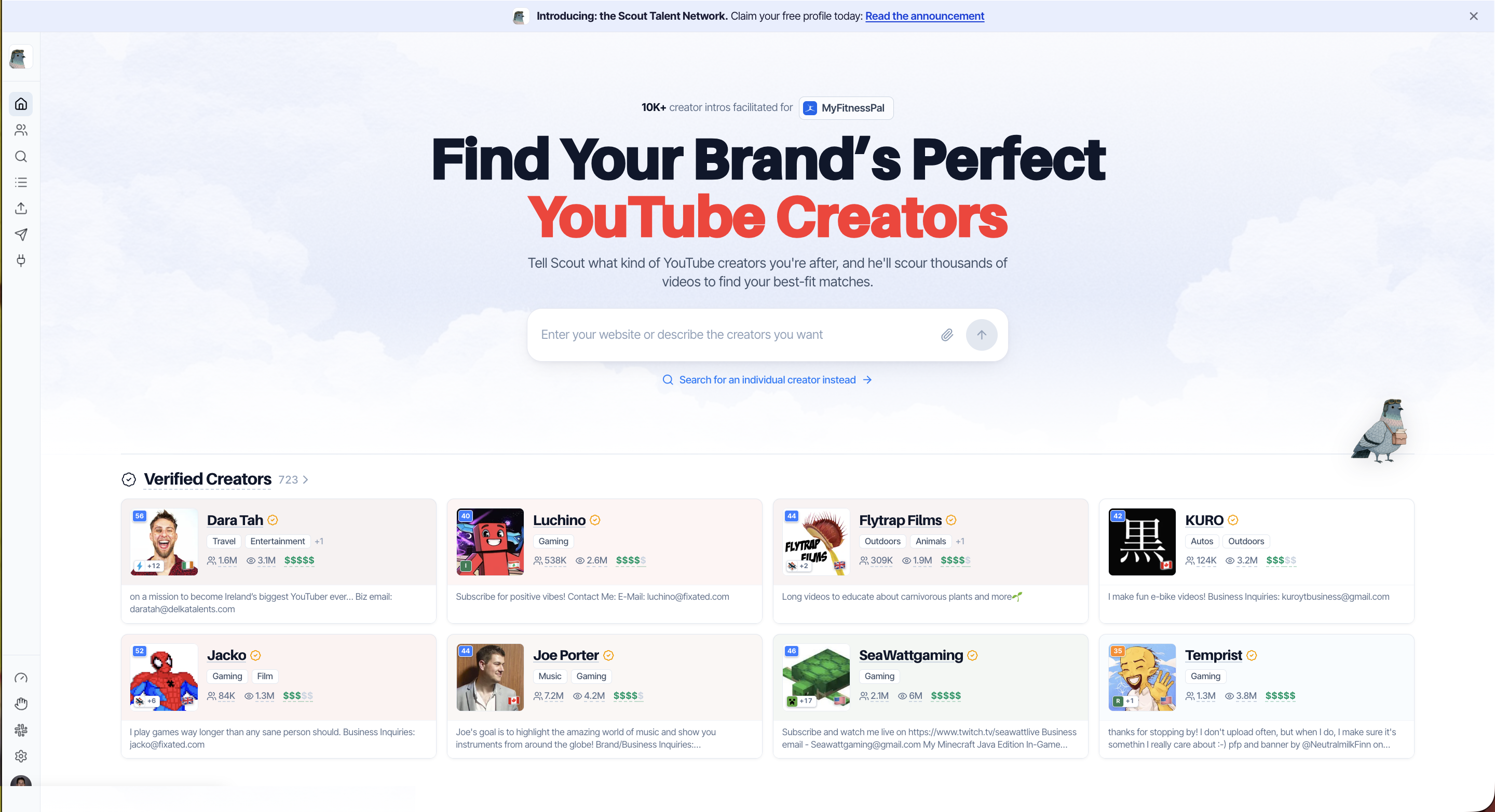
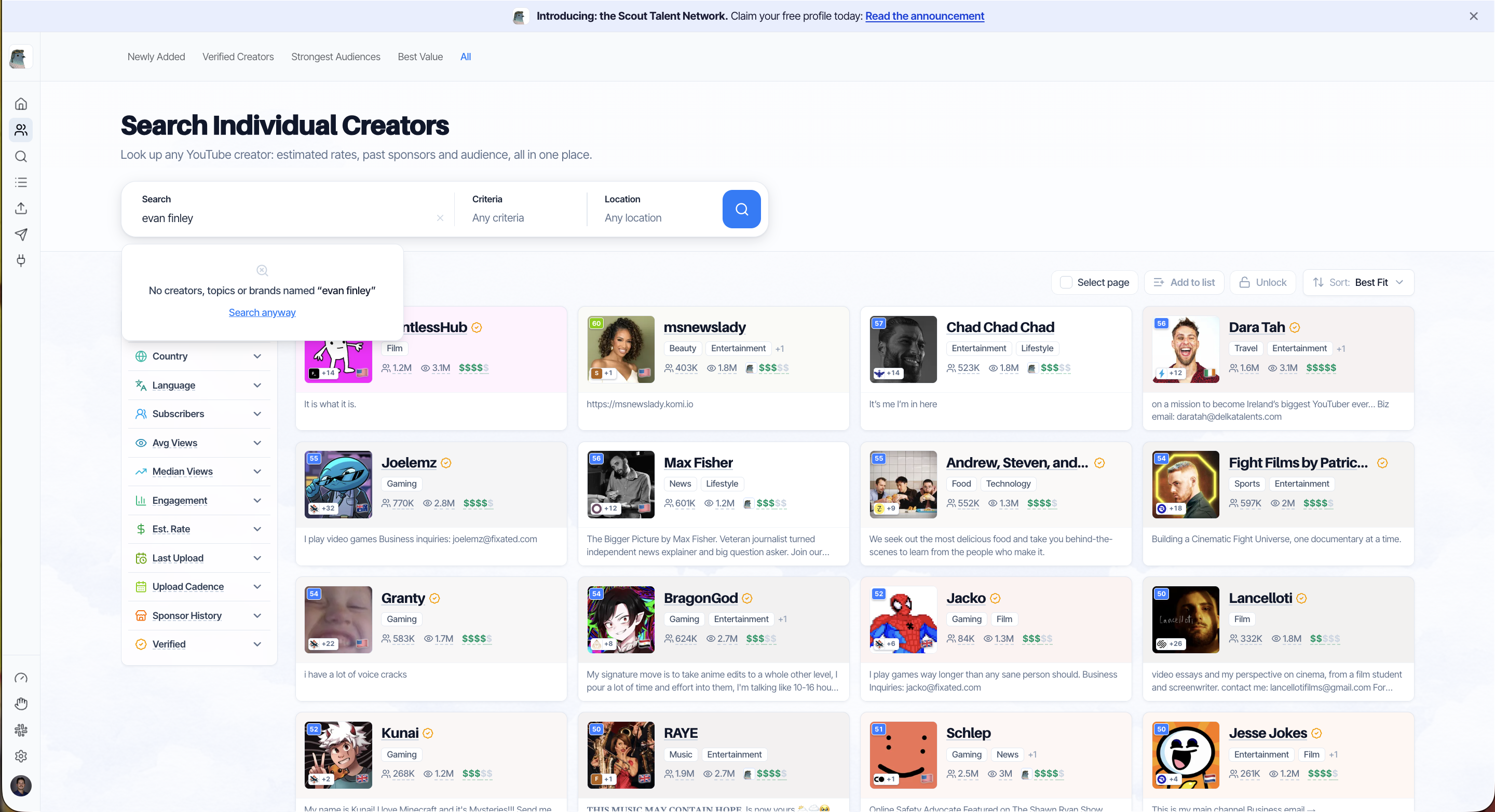
Go to babbl-labs.com/creators and start from the Claim Your Profile CTA, which drops you into creator search. Paste your full YouTube channel URL. Channel name works too, but the URL is an exact match.
2. Claim it
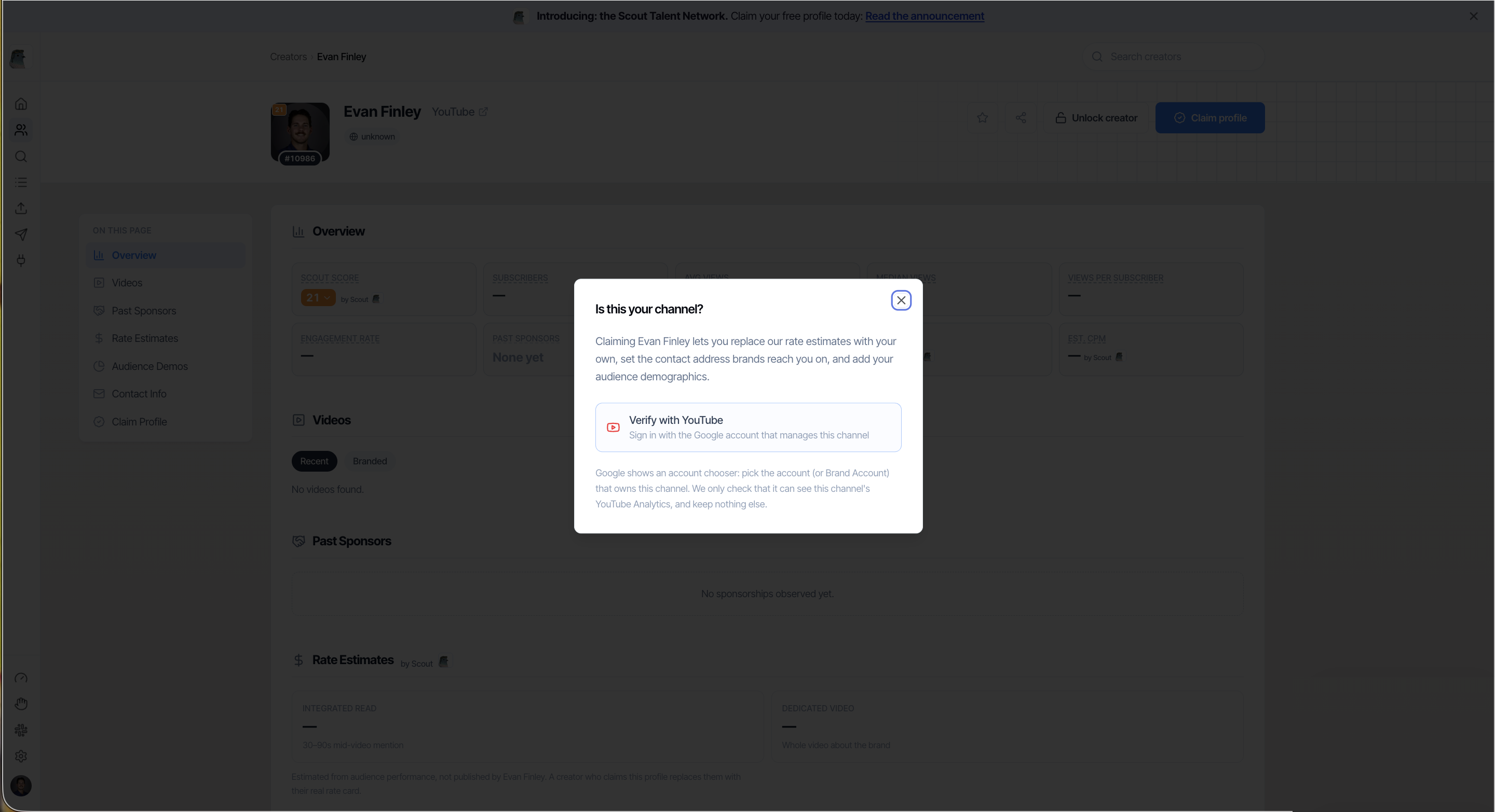
Open your profile and hit Claim, then verify through YouTube. Signing in with the Google account that owns the channel is what proves the page is yours, and it is the step that stops anyone else from claiming it on your behalf.
What claiming does and does not mean:
| It does | It does not |
|---|---|
| Let you control the rates, topics, and pitch on your page | Cost anything |
| Make you findable by brands searching your niche | Lock you in or make Scout exclusive |
| Rank you above unclaimed channels in your category | Take a commission on deals you book |
| Get you the gold Verified badge once approved | Put Scout between you and the brand |
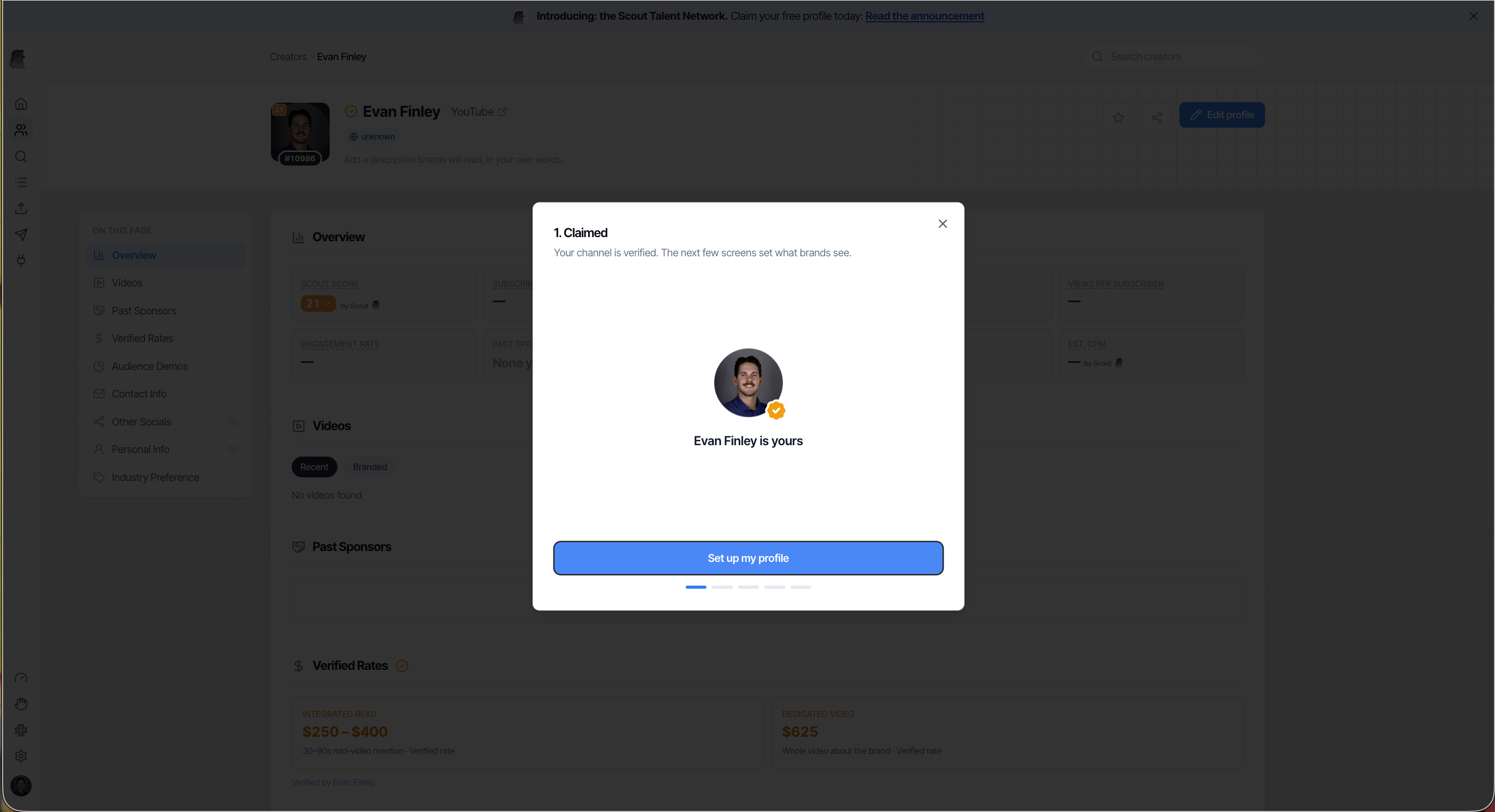
3. Set your rates
Rates is the first wizard step after the claim confirms, and it is the one step with no Skip button. Brands filter on these, so a blank rate means you get skipped by anyone who sorts or filters on budget.
Three rate types, each entered as a minimum and maximum:
| Rate | What it covers |
|---|---|
| Integrated read | A 60 to 90 second read inside a normal video |
| Dedicated video | A whole video about the brand |
| Short-form | Shorts, Reels, or TikToks |
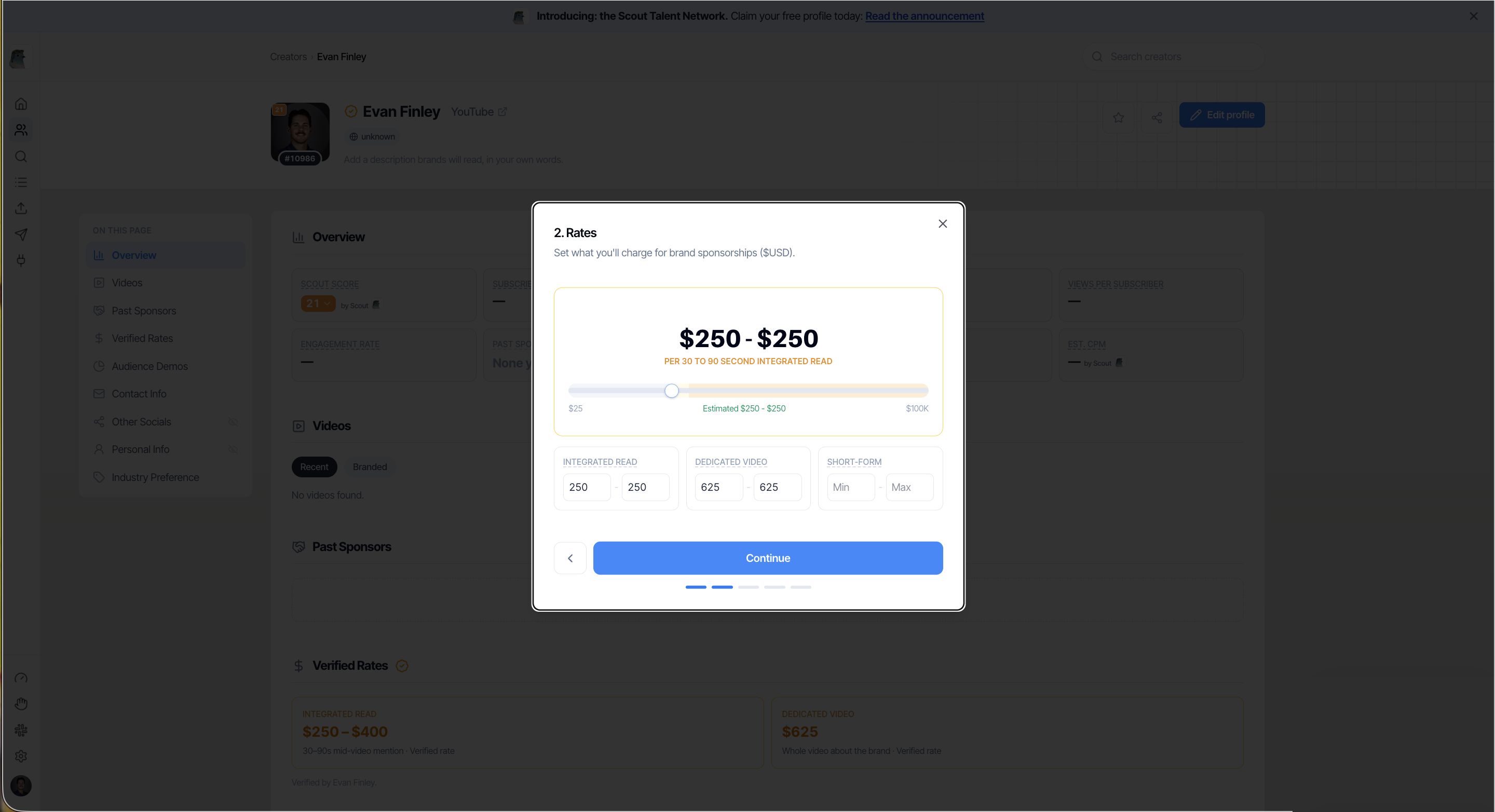
What you enter is a floor, not a fixed price. Posted rates are never binding, and a brand sees your range before it reaches out, so mismatched offers largely filter themselves out. A $15 CPM pitch does not land in your inbox because you listed a number.
4. Pick the industries you want to hear from
The next step is Industries. The question is which categories you want brands to pitch you in, not what you make videos about. Scout uses it to decide which brand searches you surface in, so pick what you would actually take a deal in rather than everything you have ever covered.
This step has a Skip button, but skipping it means Scout has less to go on when it recommends you.
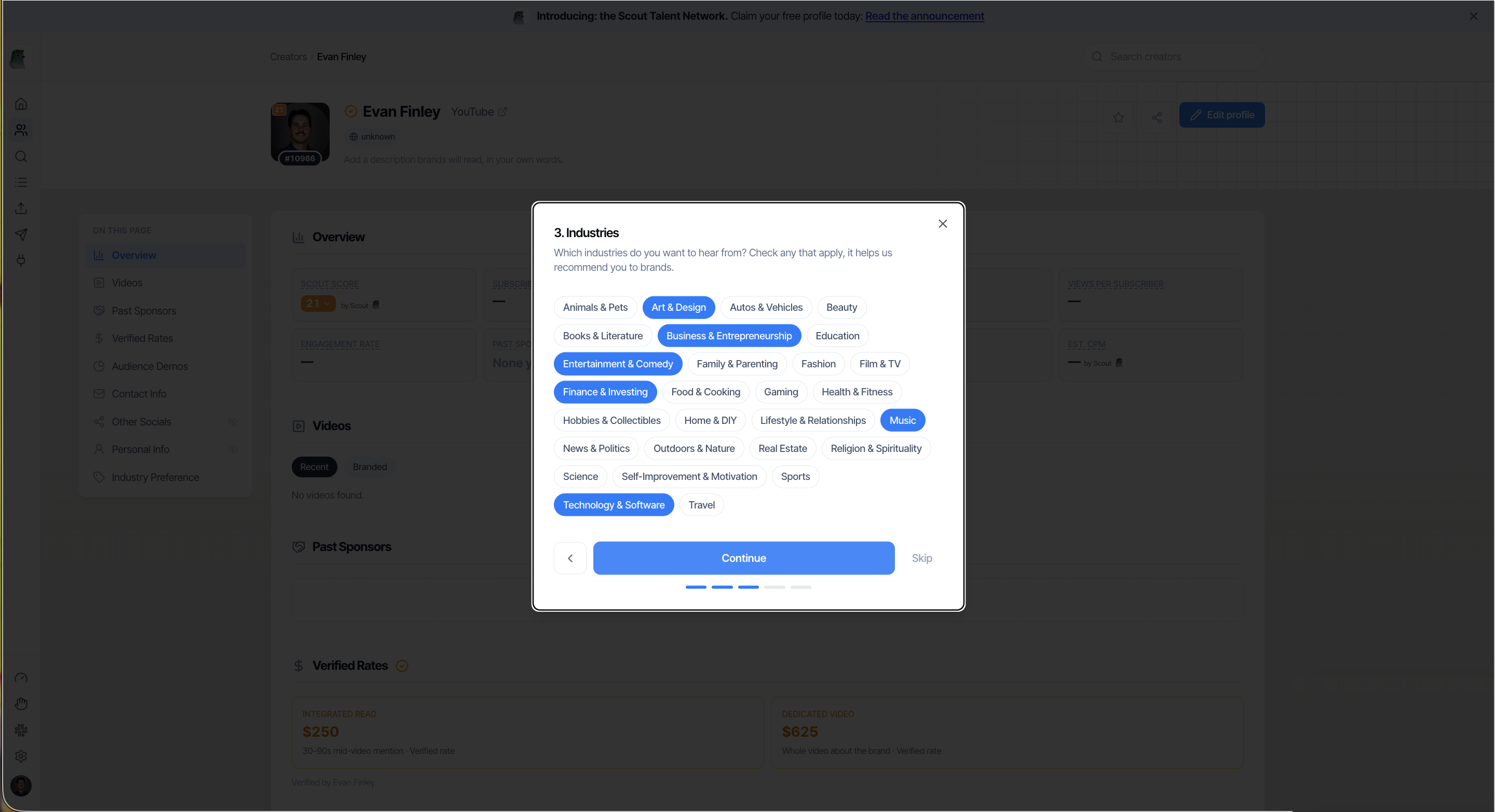
5. A little about you (private)
Step 4 is Personal Info: birthday, gender, country. The screen labels it as "A little about you. Private to you, brands see none of it." The data stays private to your account and is used for internal matching only.
This step has a Skip button if you would rather not fill it in.
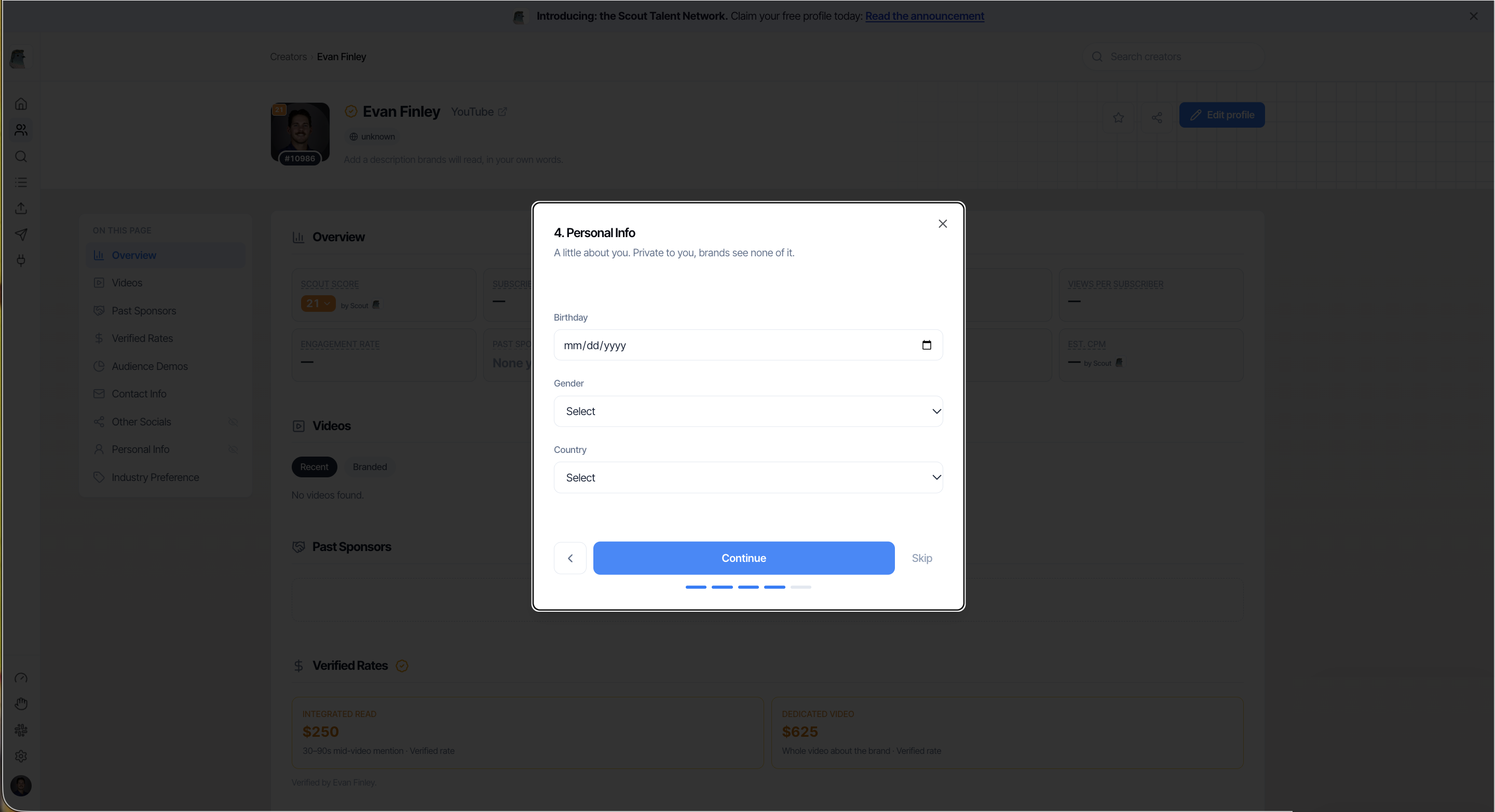
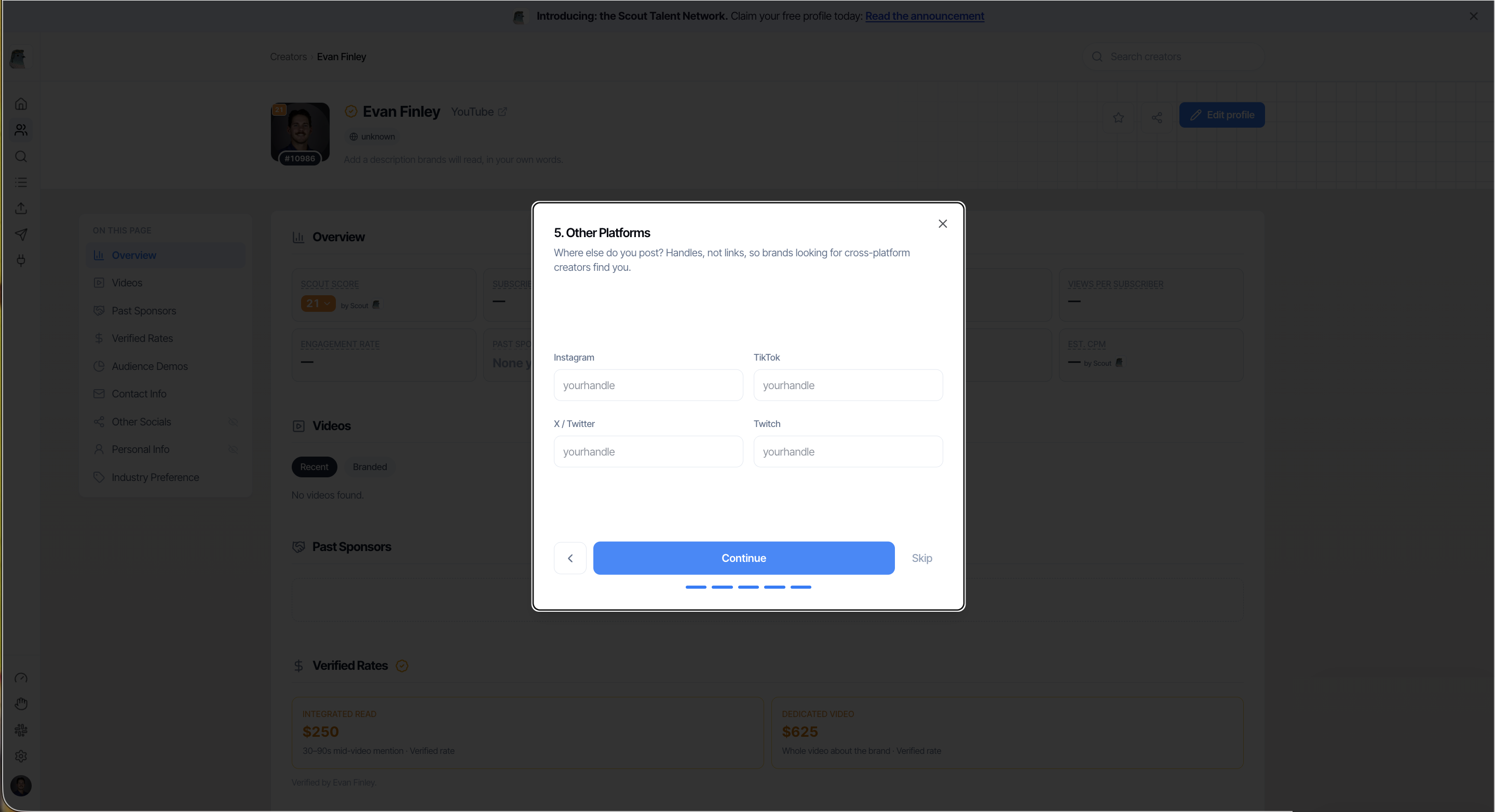
6. Other socials
The last wizard step is Other Platforms. Add every platform you post on, with handle and follower count:
- TikTok
- X
- Twitch or whatever you stream on
Scout search is YouTube-first today, so these do not get you into search results yet. They do show on your profile, and brands buying bundles across platforms look for them before they reach out. This step also has a Skip button.
7. Finish your profile from the edit view
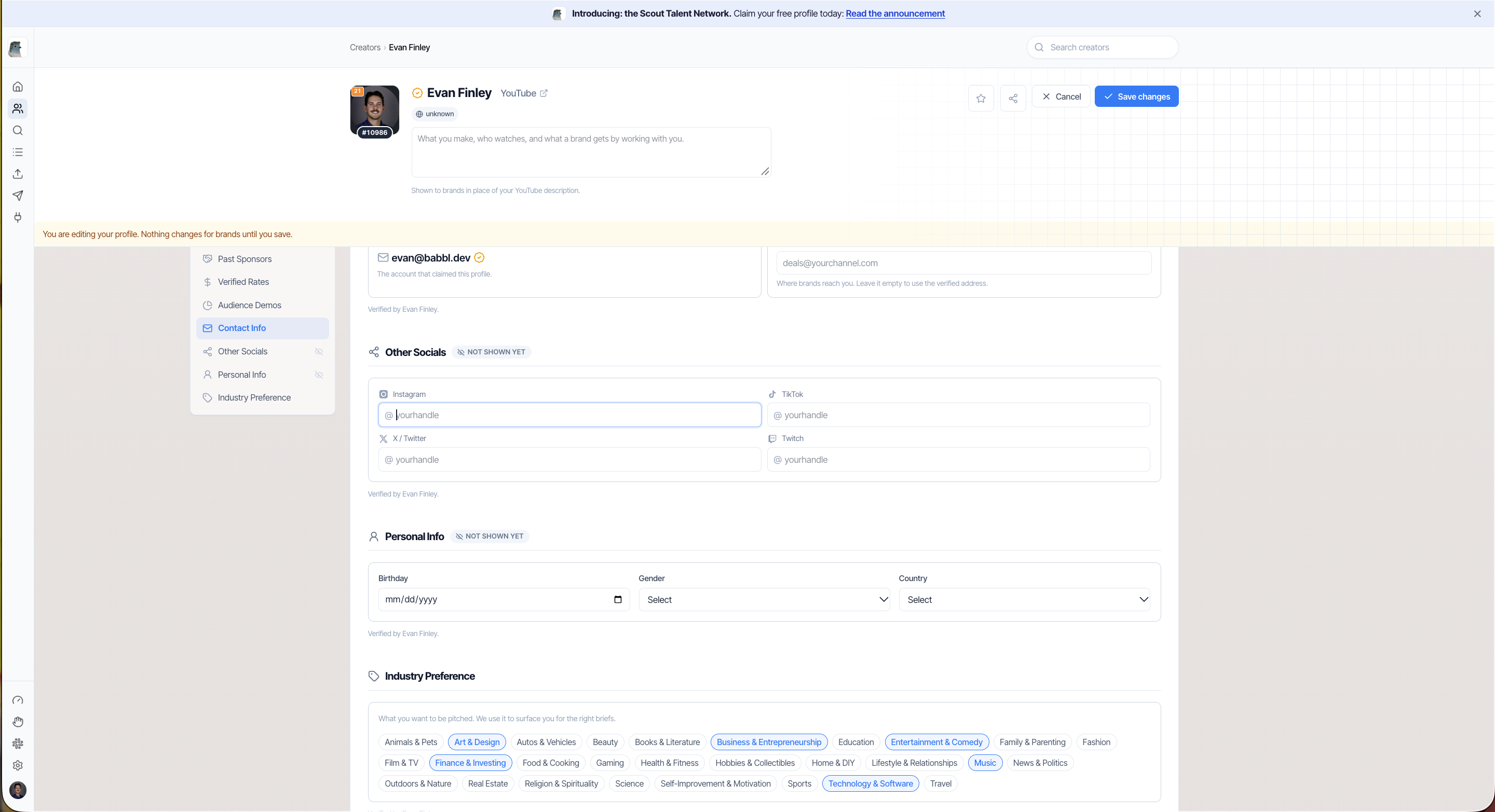
Once the wizard is done you land on your claimed profile. Open Edit profile to add the two things the wizard did not cover: your contact details and the description brands read.
Contact. There are two email fields: the verified address you signed in with, and a separate business address. Leave the business address empty to use the verified one. The verified address is what proves ownership, the business address is where brand inquiries go if you want them routed somewhere different from your personal account.
Description. The placeholder reads "What you make, who watches, and what a brand gets by working with you", and the helper text says "Shown to brands in place of your YouTube description." Two lines in your own voice beat a paragraph of adjectives. Cover who your audience actually is, what you have moved for brands before, and the verticals you want to work in. Scout matches on this, so name names.
This is the one field Scout cannot infer for you. Your numbers say who watches, the description says why that matters to a brand.
8. Submit, then what
- Submit the profile
- Once approved you get the gold Verified badge, which tells a brand the listing is real, the rate is current, and the contact is live
- You rank ahead of unclaimed channels when a brand searches your category
- Brands find you and contact you directly on the email you gave. You negotiate, you set the terms, you keep all of it
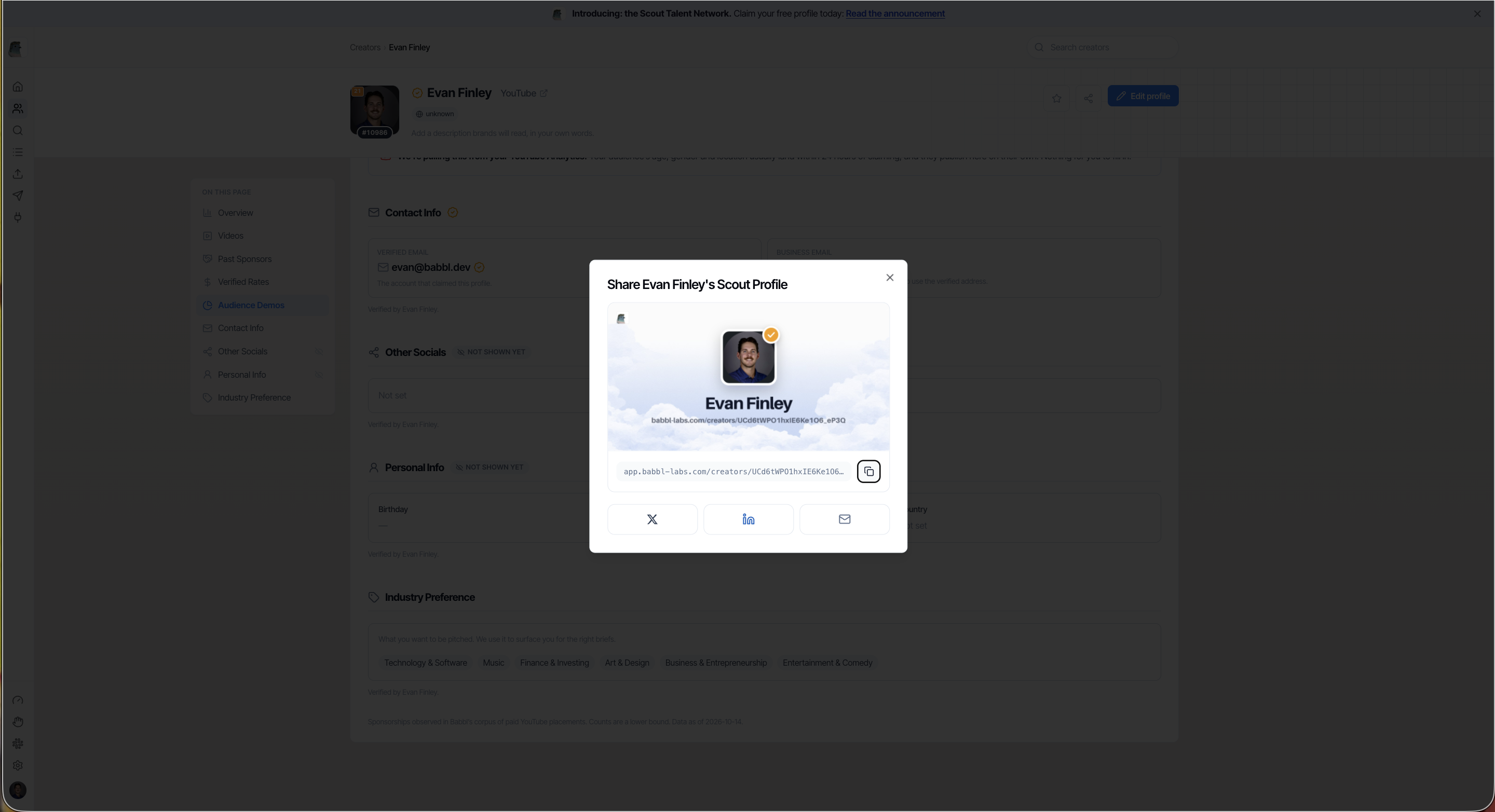
Once it is live you can share it. The profile has a share control with a copy link plus X, LinkedIn, and email.
Your terms, in plain language
- Free. No listing fee, no subscription, no commission on any deal a brand brings you through Scout
- Non-exclusive. Keep every other platform, agency, and brand relationship you have
- You own the relationship. The brand emails you, you reply, you set the price. Scout makes the introduction and steps back
- No name or likeness in Scout marketing, ads, social, or decks without your written OK
- Delist and delete anytime, on request
Tips and cautions
- The email is the whole point. Wrong email means a brand found you, wanted you, and got nothing back
- Do not leave the integration rate blank. It is the field brands filter on, and blank reads as unavailable
- Partial beats empty. A profile with a rate and no description still gets found. A claimed profile with nothing filled in does not
- Update it after a big month. Your rate moves, and the profile shows whatever you last entered
Where to start
Claiming takes about two minutes. Start the claim at babbl-labs.com/creators, or if you want the brand-side view of how creators get picked first, read how to get sponsored on YouTube.
Questions on claiming, or something looks wrong on your page? Email evan@babbl.dev and we will fix it.
Frequently asked questions
- Is claiming a Scout profile really free? Do you take a cut?
- Yes, free. No listing fee, no subscription, and never a percentage of what you earn. Brands pay to use the platform, that is the business model.
- Who does a brand contact, me or Scout?
- You. Inquiries route to the inbox on your profile and nowhere else. Scout makes the introduction and steps back.
- What do I actually need before I start?
- Your rates for an integrated read (at minimum), and the email where you want brand inquiries to land. That is enough to finish the claim. Everything else can be edited later.
- What if a brand sends a lowball offer below my listed rate?
- Your listed rate is a floor, and brands see it before they reach out, so mismatched offers largely filter themselves out. If even that is too much noise, Scout can whitelist you and only route pre-qualified opportunities through.
- Do I have to be exclusive to Scout?
- No. Everything is non-exclusive. Keep every other platform, agency, and brand relationship you have.
- Can I leave or get my information removed?
- Anytime. Scout delists on request and deletes the information held.